Home  •  DisplayFusion Online  •  Support  •  View this site in English 以简体中文浏览此网站 以正體中文瀏覽此網站
  •  
Binary Fortress Software WallpaperFusion LogFusion ClipboardFusion FileSeek Notepad Replacer
DisplayFusion: Multiple Monitors Made Easy!
 

Window Management

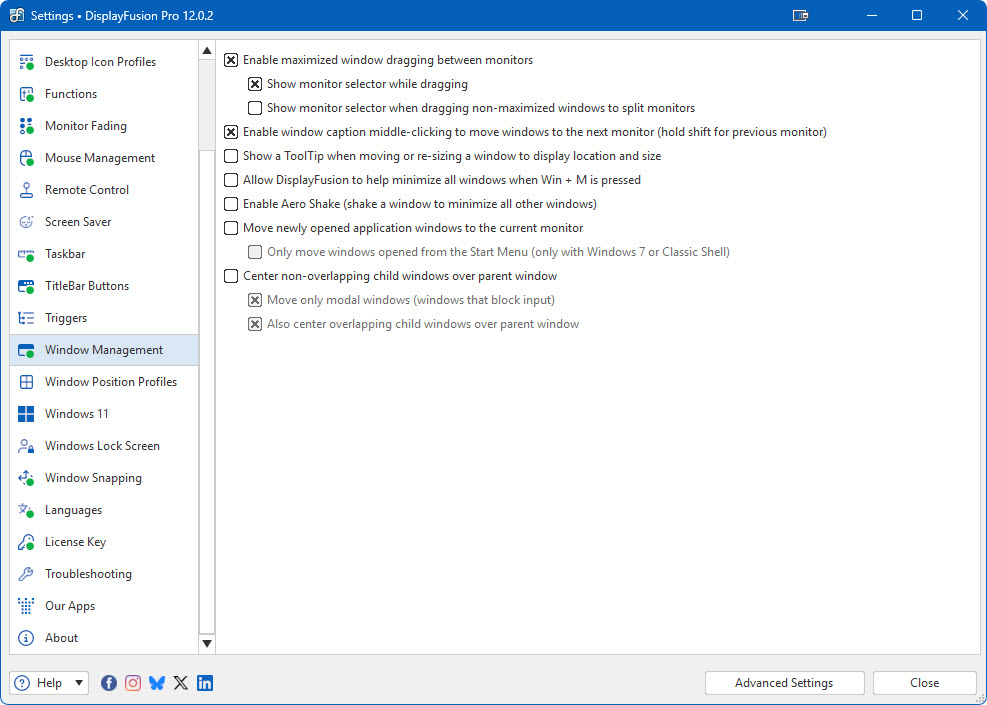
Window ManagementUse DisplayFusion's Window Management feature to easily move windows between your monitors. Whether you use the simple Middle-Click Move, or the more advanced Maximized Window Dragging, managing your desktop windows has never been so easy.

Maximized Window Dragging

Left-click a maximized window's titlebar and drag it to the monitor you would like it to be on. DisplayFusion will show a monitor selector to help you choose the monitor. You'll never need to restore the window, drag it to the monitor and re-maximize it again. Just click, drag and you're done. DisplayFusion will take care of the details for you. Easy!

Middle-Click Window Moving

Middle-click on a window's titlebar to move it to the next monitor. Just 1 click with your middle-mouse button and you can move your windows around with ease.

Size and Location ToolTips

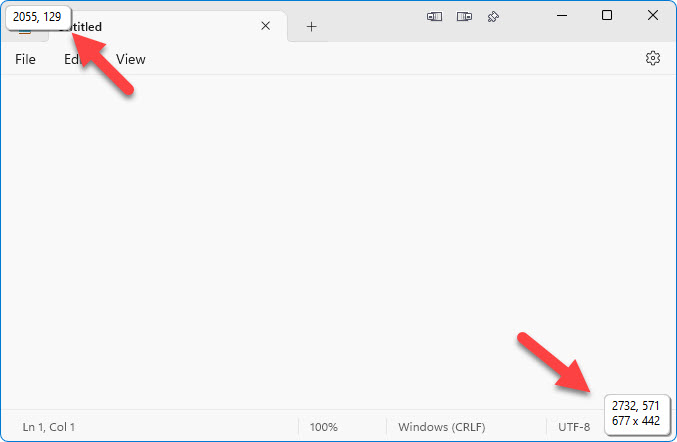
DisplayFusion includes an option to display ToolTips on windows when they are being resized or moved so that you can see the exact window size and location in pixels.

Screenshots

Window Size/Location ToolTips
Settings > Window Management Tab