
Scott Thompson
3 discussion posts
This is copied from 2018, because i have this problem and reply on that discussion didn't work. Caleb described my problem perfectly.
"For the life of me I can't figure out how to create a second monitor profile - seems like there's a bug. After creating my first profile, I no longer get the flyout menu (as shown at https://www.displayfusion.com/Discussions/View/working-with-displayfusion-monitor-profiles/?ID=5f41fdbd-bb4f-4052-8de2-a34e47468ec0) when pressing "Save Profile..." and it instead it goes straight to asking if I want to overwrite the existing profile. This means I never get the "New Profile" option like I should.
Does anyone know if there's another way to create new profiles? Is there a config file somewhere that these are saved in?"
I've used display fusion maybe 20 years. Many times i've run across this issue when setting up a new machine or whatever. Somehow i magically make it though. Here i am setting up a new machine again and can't setup a third profile. It constantly wants to overwrite the profile i'm working with. I've carefully stepped through the 4 steps in the documentation (Create a Monitor Profile) and it wants to overwrite the profile. When i click save, it offers to overwrite. In other words the Save Profile button never expands to offer to save a new profile. That button always wants to overwrite.
There is a Detected profile declared in green font. It seems to me that if i make changes, apply those changes, i should be able to save a new profile. How do i get it to simply stop detecting the profile and let me configure, apply, and save a new profile?
Scott Thompson
3 discussion posts
Like i mentioned, somehow magically i'll get a new profile added. This time whatever mode i was in, there wasn't a detected profile, so i had a create/save new profile option. Even after getting a new profile it still overwrites things i don't want to overwrite.
I'm really replying to add a little more info and a profile problem i don't understand. I attached 3 screenshots. "Profile 98" has monitor 1 enabled and monitor 2 disabled. It also has the DPI set to 125% for monitor 1. "Profile Matrix" has monitor 1 disabled and monitor 2 enabled (opposite monitors). Monitor 1 DPI is 100%. "Profile 98 slight adjustment" is what i don't understand. When i've loaded "Profile 98" and i simply set monitor 1 DPI to 100%, why does it detect "Profile Matrix"? "Profile Matrix" has completely different monitors enabled/disabled.
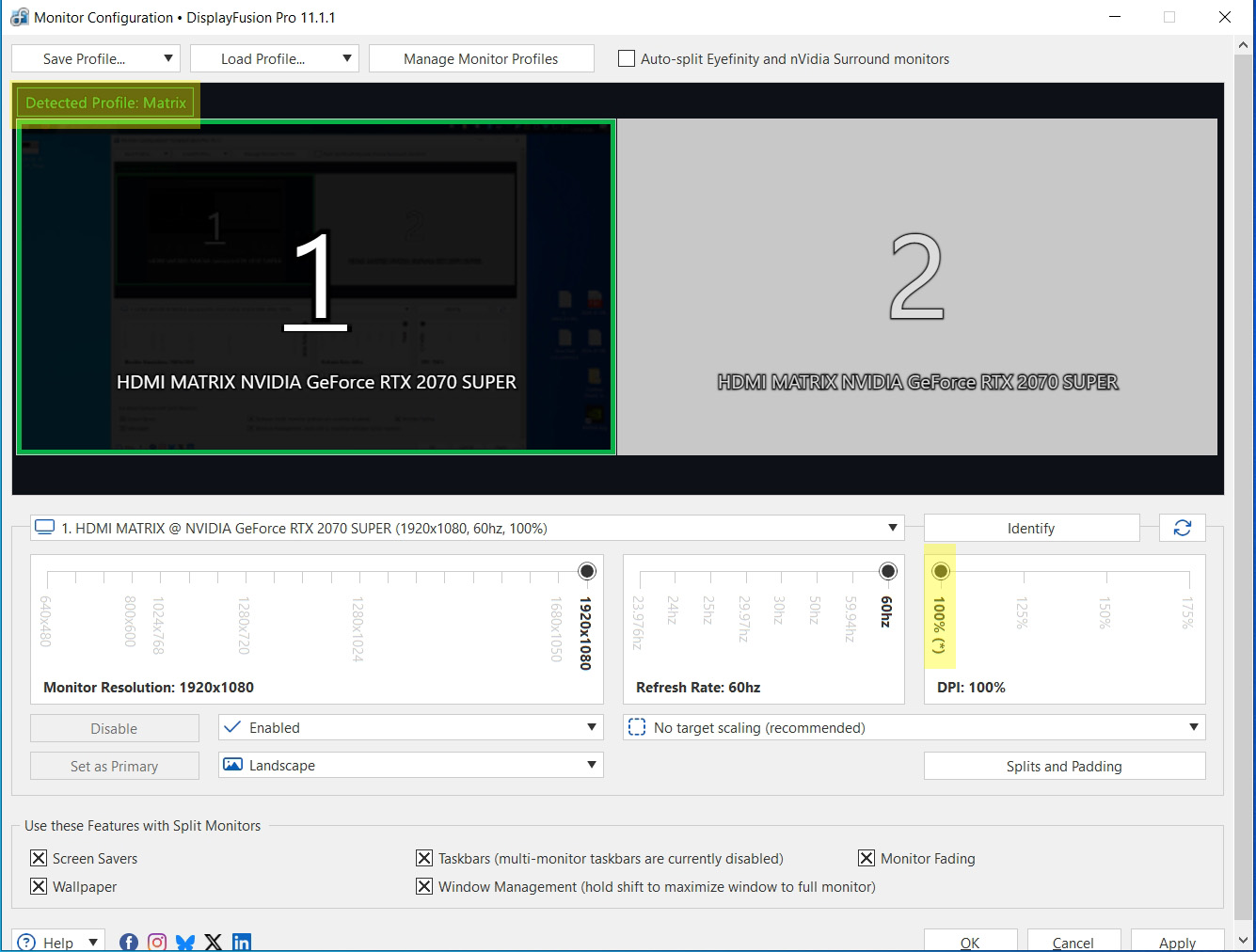
Profile 98 slight adjustment.jpg
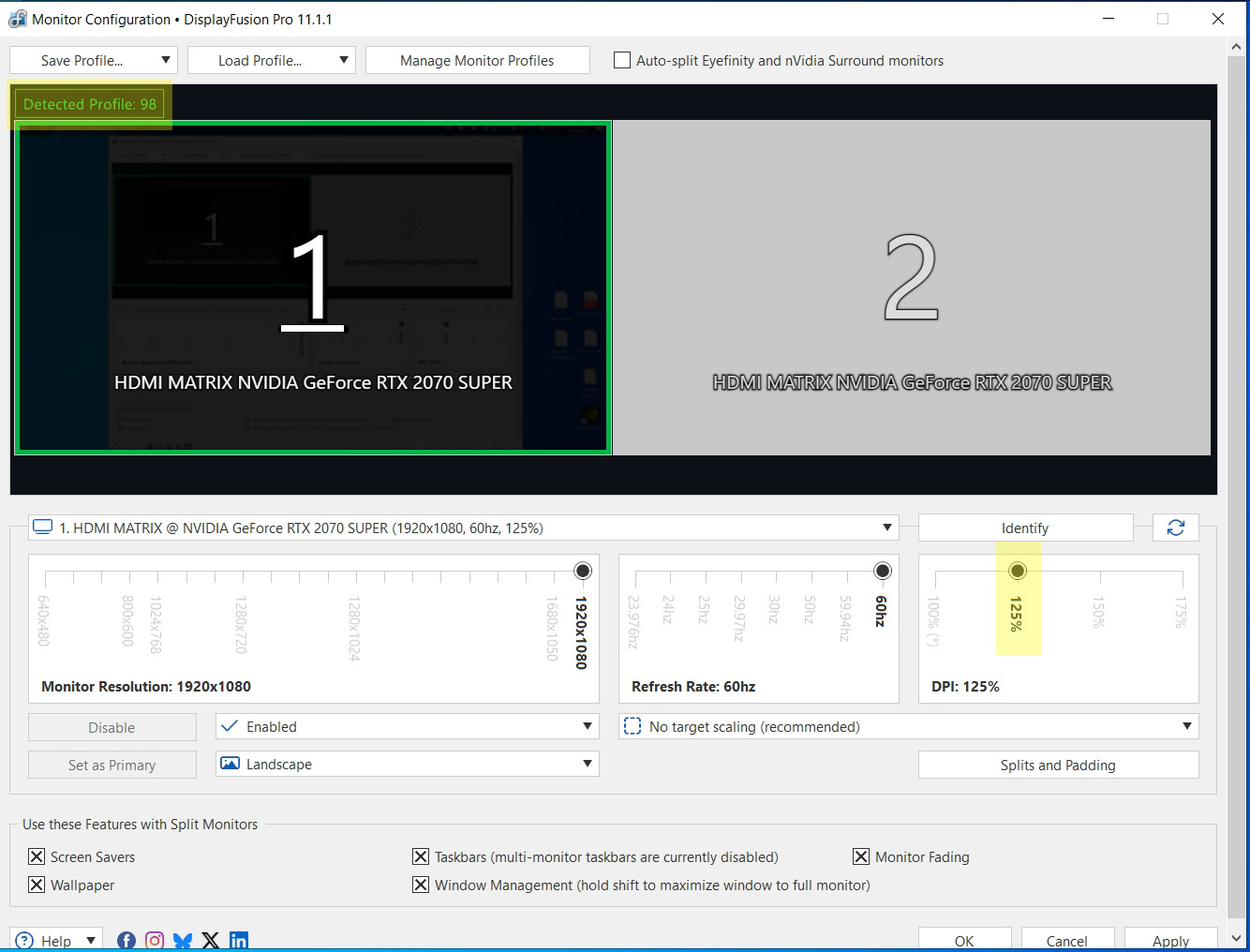
Profile 98.jpg
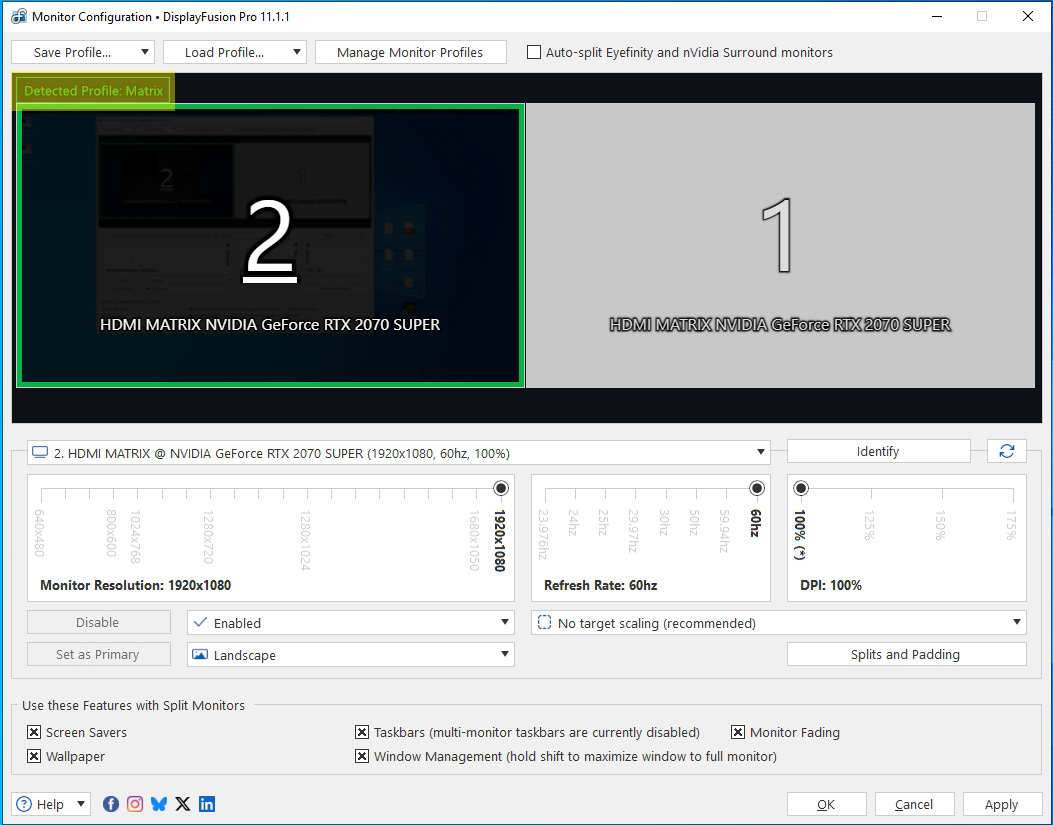
Profile Matrix.jpg












