
Steve256
5 discussion posts
I just installed DisplayFusion tonight after having it for years on my laptop. My laptop was Windows 10 but my new PC is Windows 11. I've now found that when dragging a window DisplayFusion is showing the monitor number in the bottom left corner of the display, AND just to the left and/or below where the mouse cursor was when you started dragging the window.
I cannot find out how to disable this because the options in DisplayFusion for Window Management ("Show monitor selector while dragging" and "Show monitor selector when dragging non-maximized windows to split monitors") do not seem to do anything. I've attached a screenshot of what is displayed when dragging a monitor.
I want a way to disable this as it doesn't appeal to me, but I cannot figure out what it's called, or if it's the "Show monitor selector" setting then it isn't actually saving when I uncheck those options.
Turns out DisplayFusion wasn't the culprit after all, I restarted the PC and found that DisplayFusion started first and then the ASUS DisplayWidget Centre started after that, and then the monitor icons appeared. Found the appropriate setting in the ASUS DisplayWidget Centre to disable them.
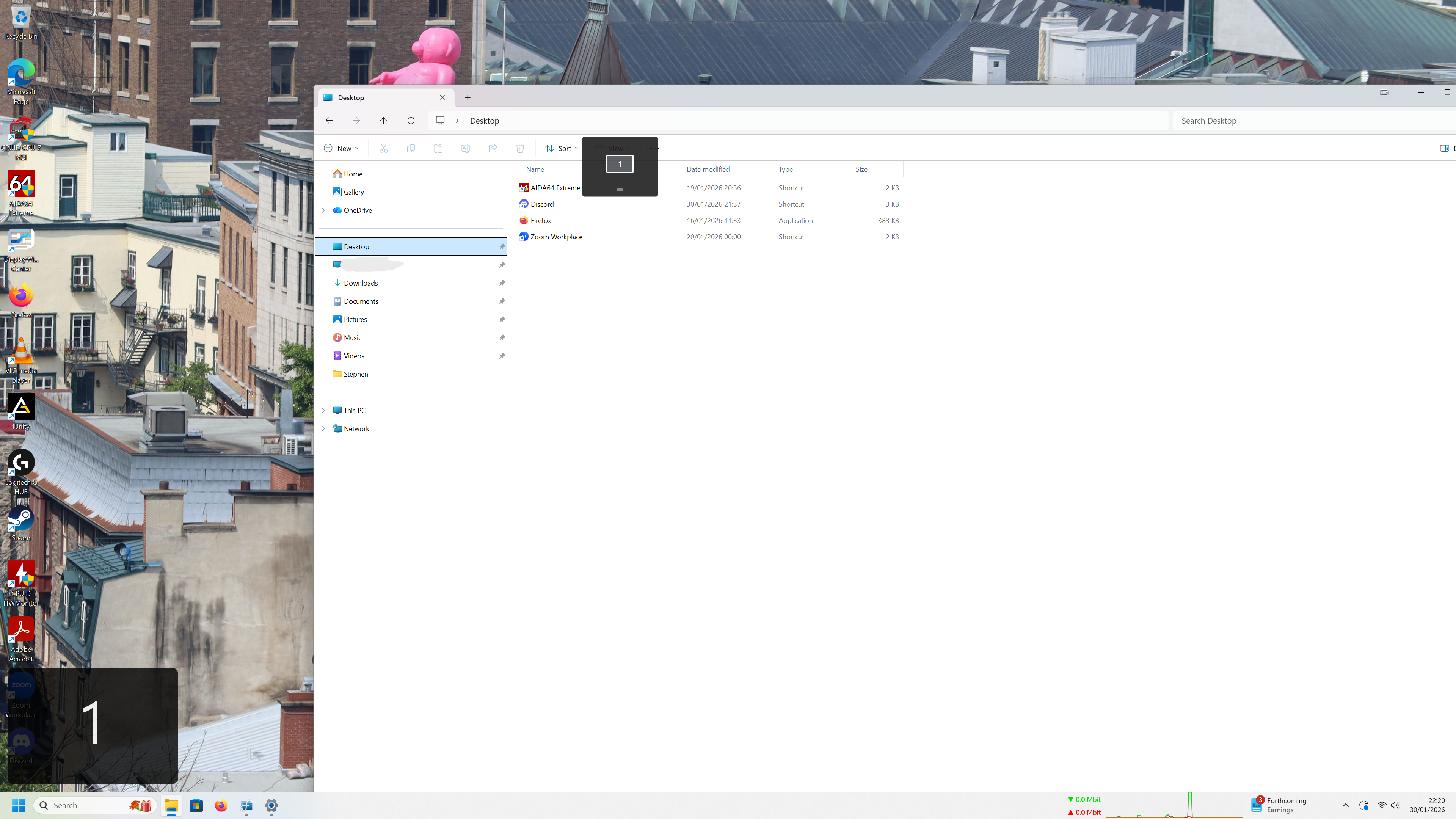
Screenshot 2026-01-30 222022 edit.png
Jan 30, 2026 (modified Jan 30, 2026)
•
#1












