
Matthew Buxton
22 discussion posts
Windows 11 system with an Nvidia GPU. Whenever changing profiles in DisplayFusion, DisplayFusion always forces the scaling to be done on the GPU, no matter what the setting is in the Nvidia control panel (setting circled in red in the picture). Even disabling another monitor in DisplayFusion is enough to force scaling back to GPU mode.
The only way to get back scaling on the display is to toggle the setting in the Nvidia control panel.
I need to test things with an external scaler, so this is quite annoying, could it be fixed?
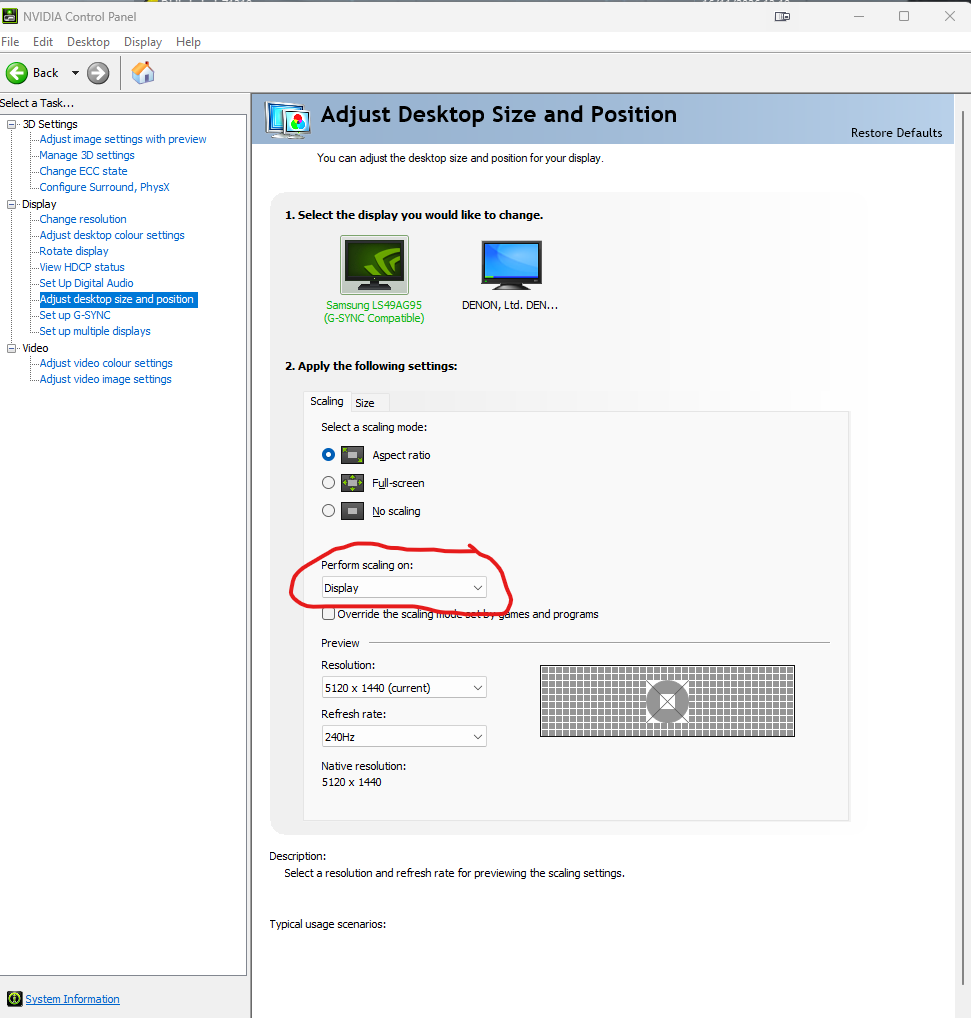
displayfusion-overrides-this.png
2 hours ago (modified 2 hours ago)
•
#1


