Processing Ajax...

Title

Message

Confirm

Confirm

Confirm

Confirm

Are you sure you want to delete this item?

Confirm

Are you sure you want to delete this item?

Confirm

Are you sure?
If you are experiencing any issues with your desktop wallpaper or taskbar buttons
please download and install the latest DisplayFusion beta version before contacting support.

User Image
Anthony Reddan68828
1 discussion post
1. Right click native taskbar>settings>taskbar behaviours>Show smaller taskbar buttons: Always
2. Notice how DisplayFusion taskbar(s) still have the large default icons
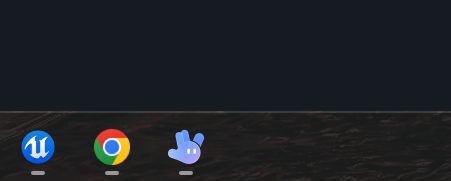
• Attachment: dftaskbar.png [38,826 bytes]
dftaskbar.png
dftaskbar.png
• Attachment: nativetaskbar.png [34,581 bytes]
nativetaskbar.png
nativetaskbar.png
• Attachment: setting.png [6,807 bytes]
setting.png
setting.png
2 days ago  • #1
Owen Muhlethaler (BFS)'s profile on WallpaperFusion.com
I was able to reproduce that here so I've added it to our list to look into.

Thanks!
18 hours ago  • #2
Subscribe to this discussion topic using RSS
Was this helpful?  Login to Vote(-)  Login to Vote(-)










