
waqqas31
2 discussion posts
I have used the built-in default "Horizontal Split" in DisplayFusion on my monitor. When I maximize a window (via the window button or keyboard shortcut) the window does not completely fill the split. (see attached pic #1).
If for the same monitor, I use the Windows 11 built-in option to fill the right (or left) half of the screen, then those gaps visible with the DisplayFusion method disappear.
Is there an option to make DisplayFusion adopt the Windows 11 behavior?
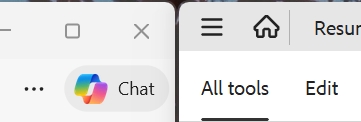
DP_Max.jpg
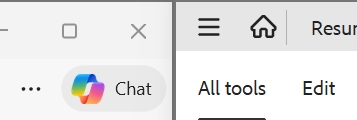
W11_Max.jpg
Mar 25, 2026 (modified Mar 25, 2026)
•
#1
When DisplayFusion maximizes to a split, it's the same as resizing a window, it's not a true maximize. This means there will be a 1 pixel style border that Windows adds, there isn't anything we can do there unfortunately.












