sorry to take up your time explaining this, but what does the 'stop processing' option do in the trigger settings? i looked in the help area but couldnt find it unless its name has change?
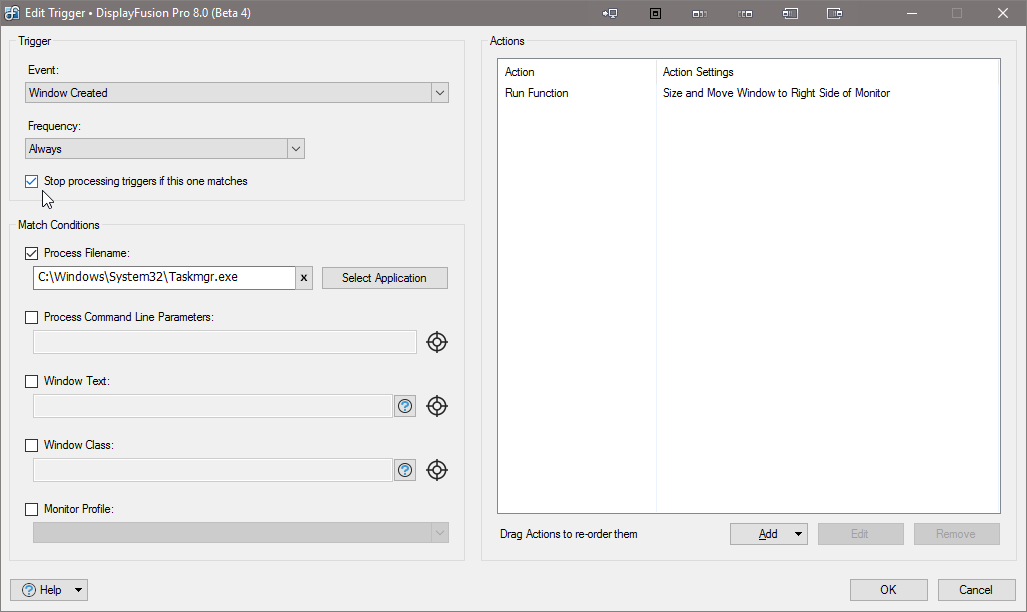
DisplayFusionSettings_2016-02-10_17-14-49.png
Sorry, we haven't updated the help for Triggers yet :)
The "Stop processing" checkbox will stop checking Trigger rules if that rule matches. So if you had two rules that could apply to the same application, enabling that checkbox will make it stop at the first rule, instead of continuing on and trying the other rules as well.












