
JohnGoldsmith
10 discussion posts
Hi,
I’m using Windows 11 (25H2 26200.7623) and DisplayFusion (12.0.1) and I’m trying to automate the size and position of the undocked LINQPad Results window for LINQPad 5 (5.52.01) and LINQPad 9 (9.5.10).
What I’m trying to do
I have three monitors arranged horizontally. I usually keep the main LINQPad window snapped to the right half of my middle monitor. When I click Undock results, LINQPad opens the Results window on the right (laptop) monitor at a default size/position. I then manually move/resize it each time.
I want DisplayFusion to do this automatically when the Results window is created:
* Detect the undocked Results window (not the main LINQPad window)
* Move it to the same monitor as the main LINQPad window
* Resize and position it to fill the left half of that same middle monitor
What I’ve tried
I’ve tried a Trigger > Window Created with conditions like:
* Process: `LINQPad.exe` / `LINQPad9.exe` (depending on version)
* Window Title startswith: `LINQPad Results` (and other variations)
* Move Window to Specific Monitor
Problems I’m hitting:
* The above works perfectly for LINQPad 5, but not for LINQPad 9.
I believe the Process Filename is correct for both and I can fire a notification for LINQPad 9 if I uncheck Window text, so my assumption is that the Window Text condition does not find a match. I have also tried using the text found by using the drag control over the results window for an exact match (ie not using BOL) but no luck with this for LINQPad 9 either.
One difference between LINQPad 5 and 9 is that 5 uses Windows Forms, while 9 uses WPF.
Is there anything obvious I should be checking?
Attached are screenshots of the two triggers.
https://forum.linqpad.net/discussion/3015/set-results-window-default-size-and-position
Any guidance would be appreciated.
Thanks
John
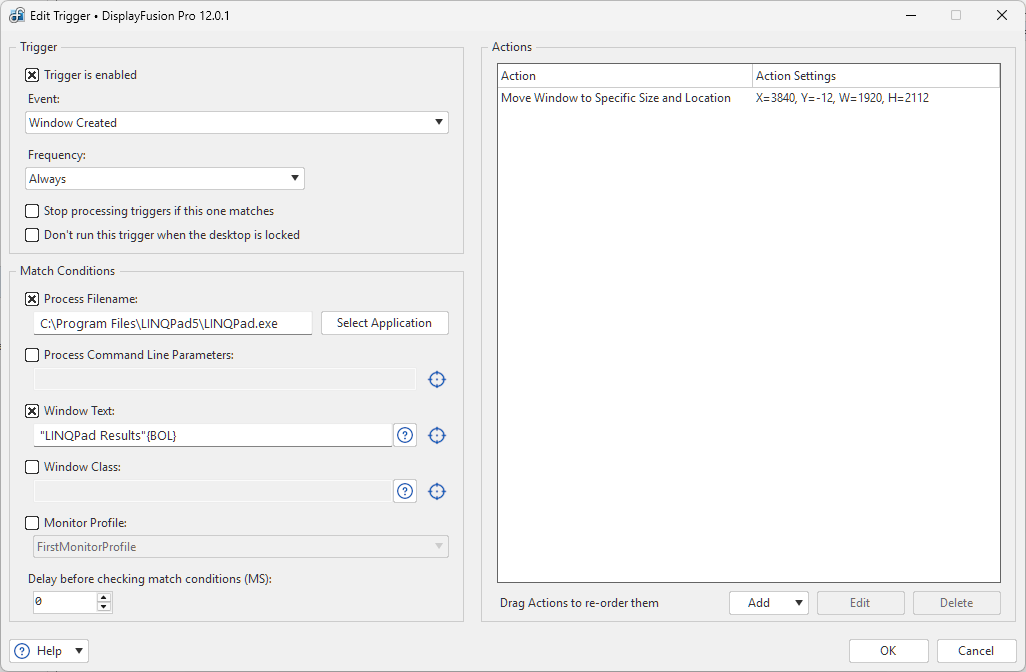
LINQPad 5 Trigger.png
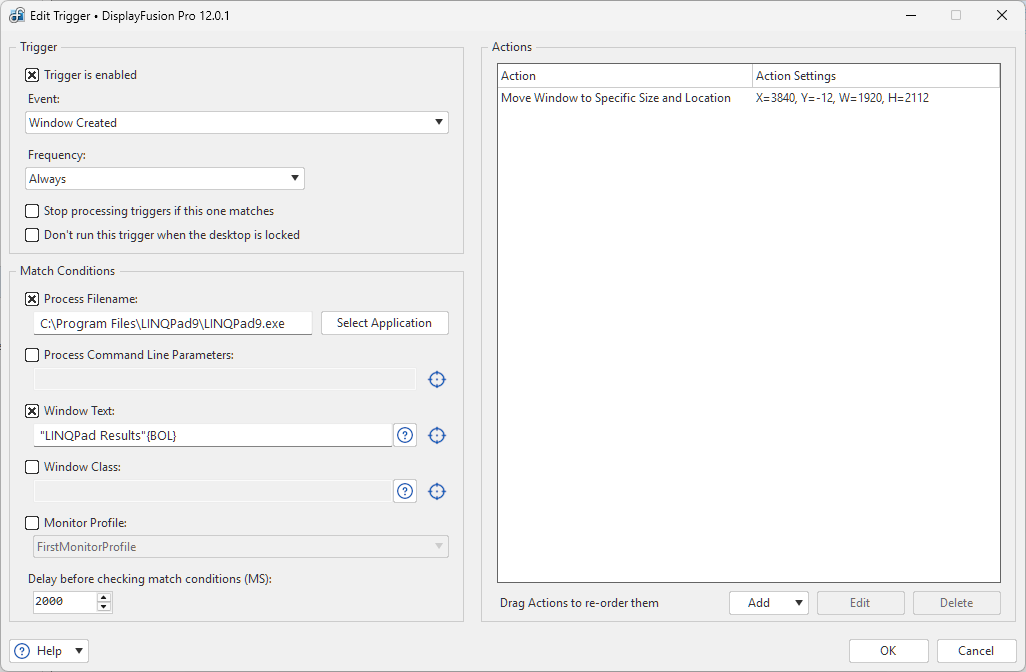
LINQPad 9 Trigger.png
If you try with just the Window Text match condition, and a higher "Delay before checking match condition" (try 5000ms), does that work?
JohnGoldsmith
10 discussion posts
Hello Owen, Thanks for your reply.
That's interesting, I had assumed the process was mandatory for some reason.
Anyway, yes, just using 'Window Text' and a 5000ms delay does trigger and move the window, but it looks like it might be a first run thing rather than the timing. If I close LINQPad (9) each time, reopen and undock the results window it behaves as expected everytime, even with 0 delay. But if I just re-dock and undock again the window stays put. It's as if the event open event isn't fired, or not listened to, after the first undock.
Ah yeah, it's likely not sending a new "Window Created" event for us to fire off. You could use the "Window Focused" event instead, but it may have some unexpected results as it will fire each time the it's re-focused.
In the Advanced Settings, you can turn on "Disable Notification for Scripted Functions Running" and it should do that for you. You'll need to reboot DisplayFusion after adjusting that setting.
JohnGoldsmith
10 discussion posts
That's great. Thanks very much for your help Owen.